Steps challenge
Steps are better with friends.
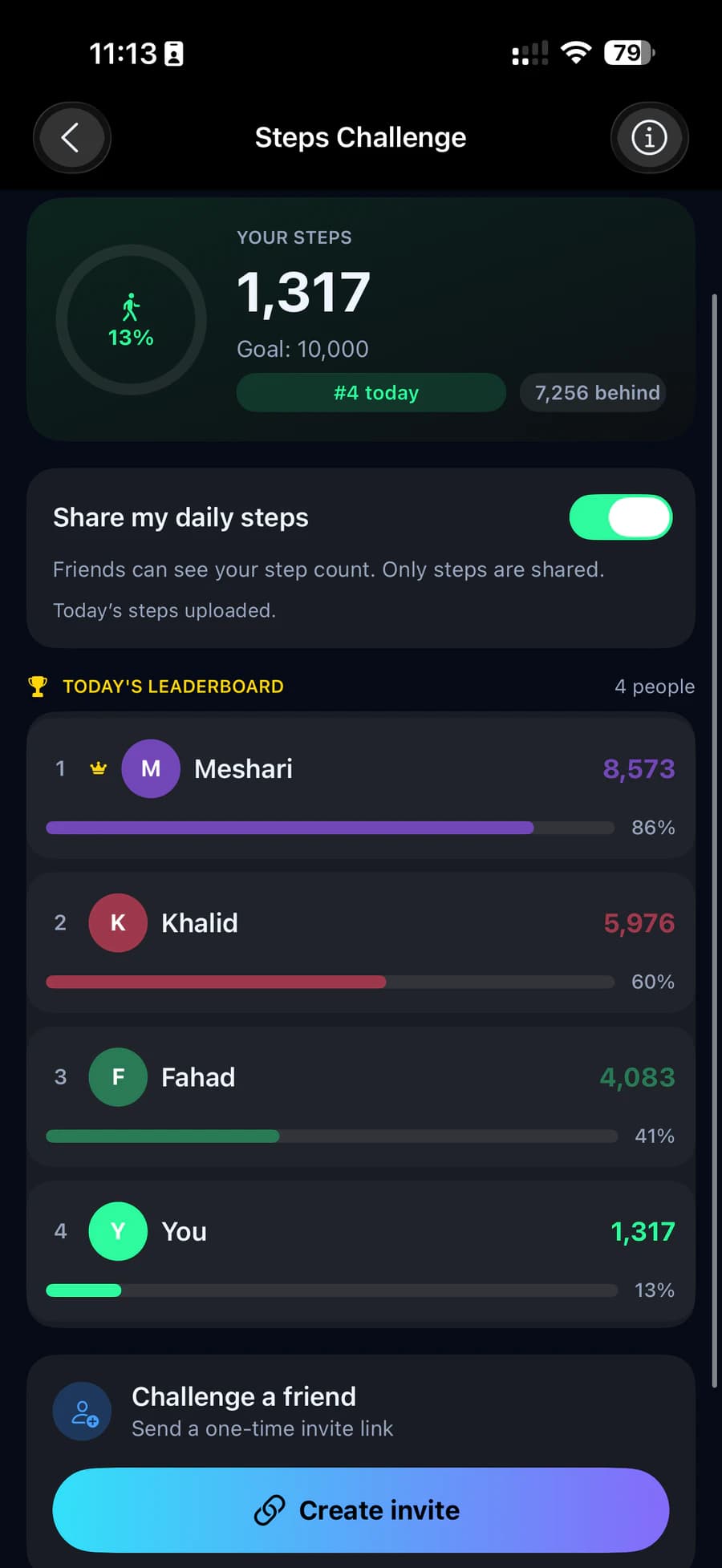
Invite the people you walk with, then see who's ahead on today's leaderboard. Only your daily step count and your name are shared, and only while you choose to share.
Privacy
Your steps. Nothing else.
Turn on Share my daily steps and friends see your step total for the day, next to your name. Your sleep, heart rate, location and workouts stay private. Turn it off any time and your steps stop being shared.
Share my daily steps
Friends can see your step count. Only steps are shared.
Today's steps uploaded.
What friends see
- Today's step count
- Your name
Always private
- Sleep
- Heart rate
- Location
- Workouts
Invites
One link, one person.
Create an invite and share the link or QR code with one person. Each invite works once and expires in 7 days. Try it on the card.
Accepting
Your friend opens the link on a phone with HLTH, sees who invited them and what will be shared, and chooses to accept.
Sharing comes first
To accept an invite, Share my daily steps needs to be on.
Challenge a friend
Send a one-time invite link
Today's leaderboard
See who's ahead today.
You and each friend, sorted by today's steps, with your rank and how far behind the leader you are. It starts fresh every day.
Remove a friend
Swipe to remove. You both stop seeing each other's daily steps.
How a challenge works
Four steps to a friendly race.
Share your steps
Turn on Share my daily steps. Your step total for today is uploaded and kept up to date through the day.
Create an invite
Share the one-time link or QR code with one person. It works once and expires after 7 days.
Your friend accepts
They see who invited them and that only daily steps are shared, then accept.
Race every day
You both appear on each other's leaderboard while sharing is on. Remove a friend at any time.
Shared: your daily step total and your name. Not shared: sleep, heart rate, location, workouts or anything else.