Strain and activity
Every effort counts.
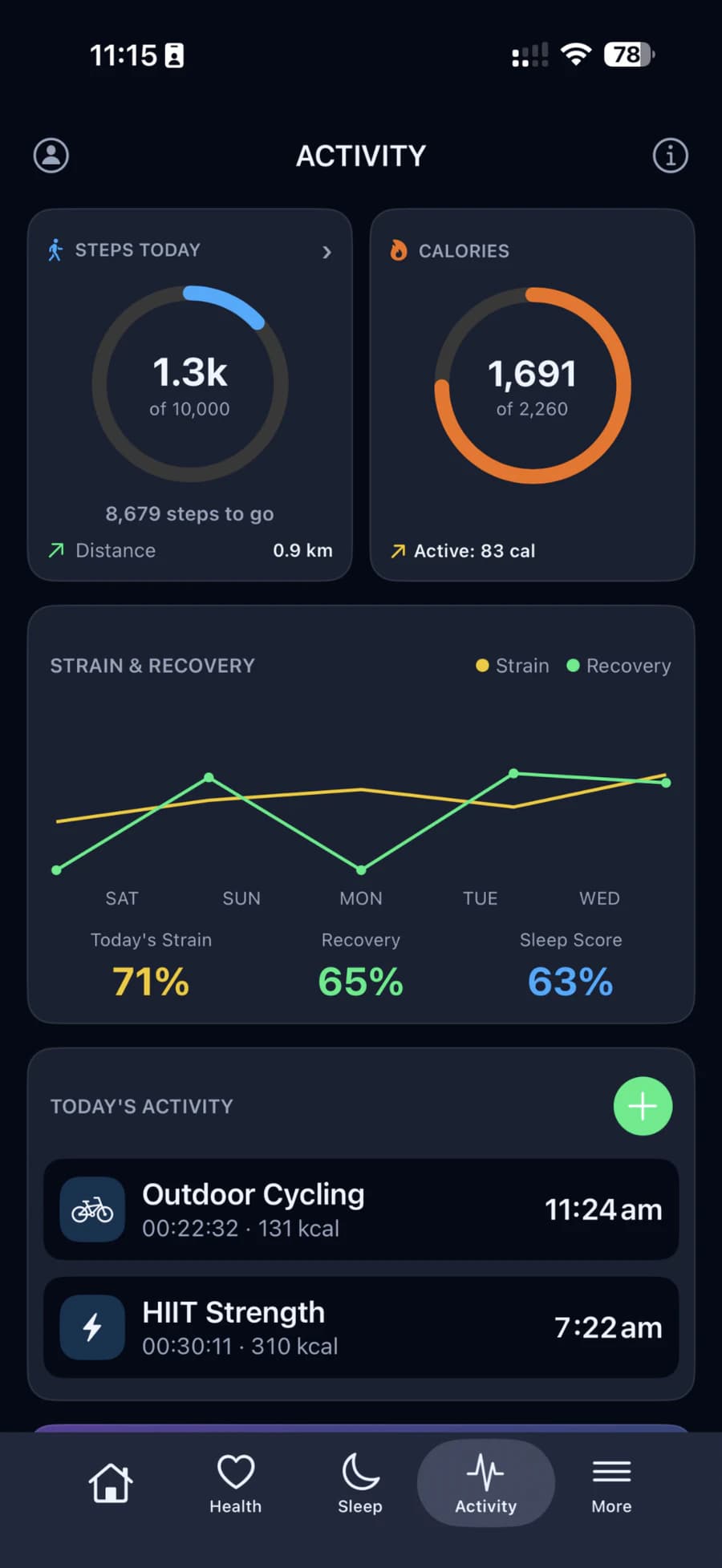
Strain shows how much load your heart carried, from 0 to 100%. Beside it, the Activity tab keeps your steps, distance, active calories and workouts for the day.
Strain
The load your heart carried.
Strain builds up from your heart rate through the day. Easy minutes add little; hard minutes add much more. See it for today, or as a rolling last 24 hours.
Time in each zone
How long your effort sat at each level, from rest to max.
Your weekly load
Today next to your recent days.
Strain
Time in each zone
- Rest50%
- Light25%
- Moderate14%
- High8%
- Max3%
Steps and activity
Steps, distance and active burn.
Your band counts every step. The app turns them into distance using your height, and adds up the calories you burn by moving, counting each workout only once.
Goals you set
Steps, active calories, distance and exercise time, each with a daily target of your own.
Day, week or month
Hourly steps for today, daily steps for the week and the month.
Steps
58,240this week
How strain is worked out
Measured against your own hardest days.
Your heart-rate range
From your resting heart rate up to the highest your heart is expected to reach for your age.
Effort adds up
Easy readings add nothing. Above that, load grows quickly with intensity, so hard minutes count far more.
Scaled to you
For the first week a standard scale is used. After that, 100% means a day like your own hardest days.
Strain is built from your heart rate only. For general wellness; HLTH is not a medical device.