Workouts
Every kind of workout.
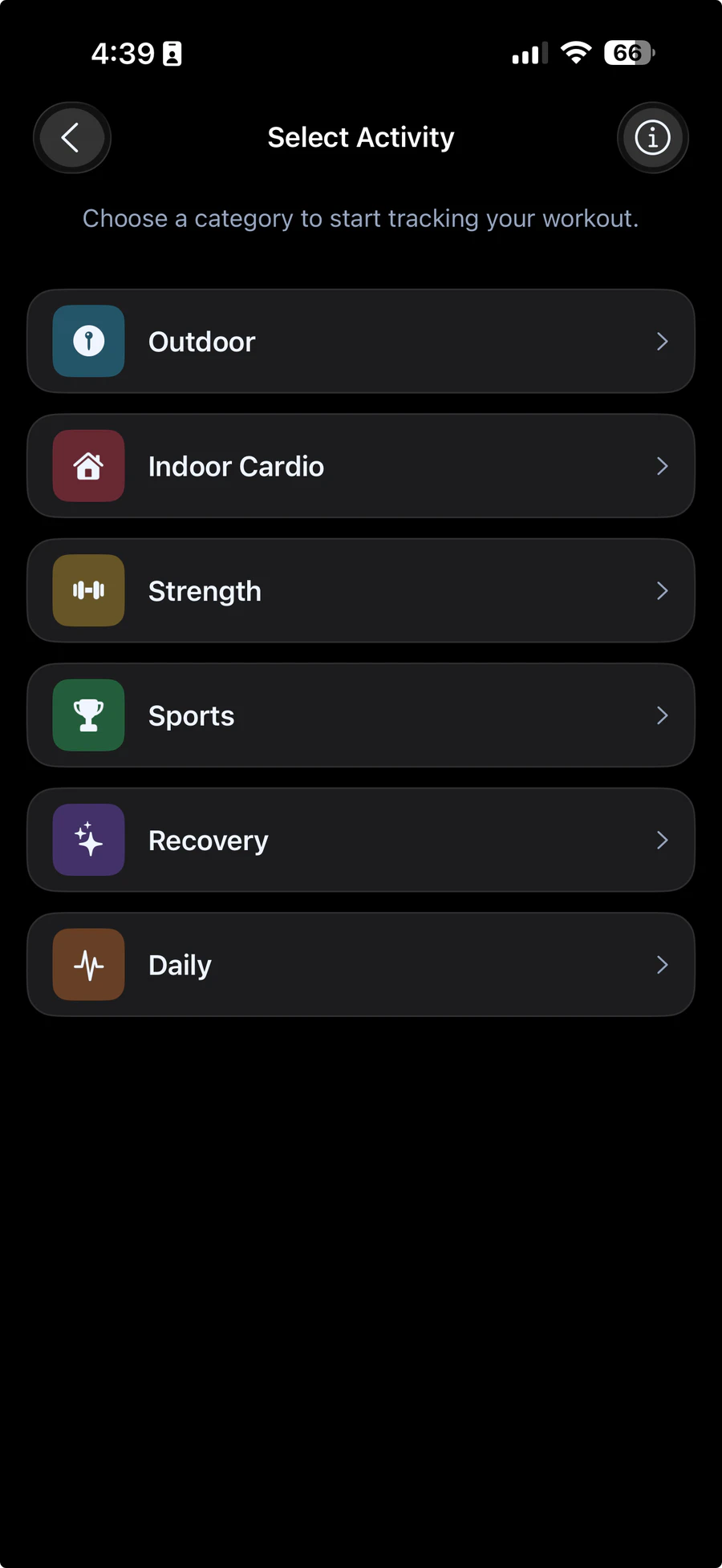
Choose from 61 activities in six categories, set a target time if you like, and start. Outdoor sessions draw your route with your iPhone's GPS.
All activities
61 activities. Six categories.
Pick a category to see what's in it, and what the app records for each session.
Outdoor
5 activities
Records: Your route on a map, distance, pace, speed, duration, heart rate from your band, calories and strain. Steps too, for all but cycling.
Route recorded with your iPhone's GPS
- Outdoor RunningGPS
- Outdoor WalkingGPS
- HikingGPS
- Trail RunningGPS
- Outdoor CyclingGPS
Indoor Cardio
11 activities
Records: Duration, heart rate, calories and strain, plus steps for walking and running. Needs your band connected.
- Treadmill Walking
- Treadmill Running
- Indoor Walking
- Indoor Running
- Elliptical
- Rowing Machine
- Stationary Bike
- Stair Climber
- Spin Class
- Jump Rope
- HIIT (Indoor)
Strength
11 activities
Records: Duration, average heart rate, active time, calories and strain. Needs your band connected.
- Bodyweight Training
- Weightlifting
- Powerlifting
- Bodybuilding
- Functional Training
- Circuit Training
- CrossFit
- HIIT Strength
- Resistance Bands
- Kettlebell Training
- Core Training
Sports
16 activities
Records: Duration, average heart rate, peak factor, calories and strain. Needs your band connected.
- Football
- Basketball
- Handball
- Rugby
- Tennis
- Padel
- Badminton
- Squash
- Table Tennis
- Volleyball
- Beach Volleyball
- Boxing
- Kickboxing
- MMA
- Skating
- General Sport
Recovery
8 activities
Records: Duration, average and lowest heart rate, calmness, calories and strain. Needs your band connected.
- Yoga
- Stretching
- Mobility
- Breathing
- Meditation
- Light Walking
- Foam Rolling
- Recovery Session
Daily
10 activities
Records: Duration, steps, average heart rate, calories and strain. Needs your band connected.
- Walking
- Casual walking
- Shopping
- Commuting
- Housework
- Cleaning
- Gardening
- Standing work
- Moving around
- General activity
Outdoor
Your route, on the map.
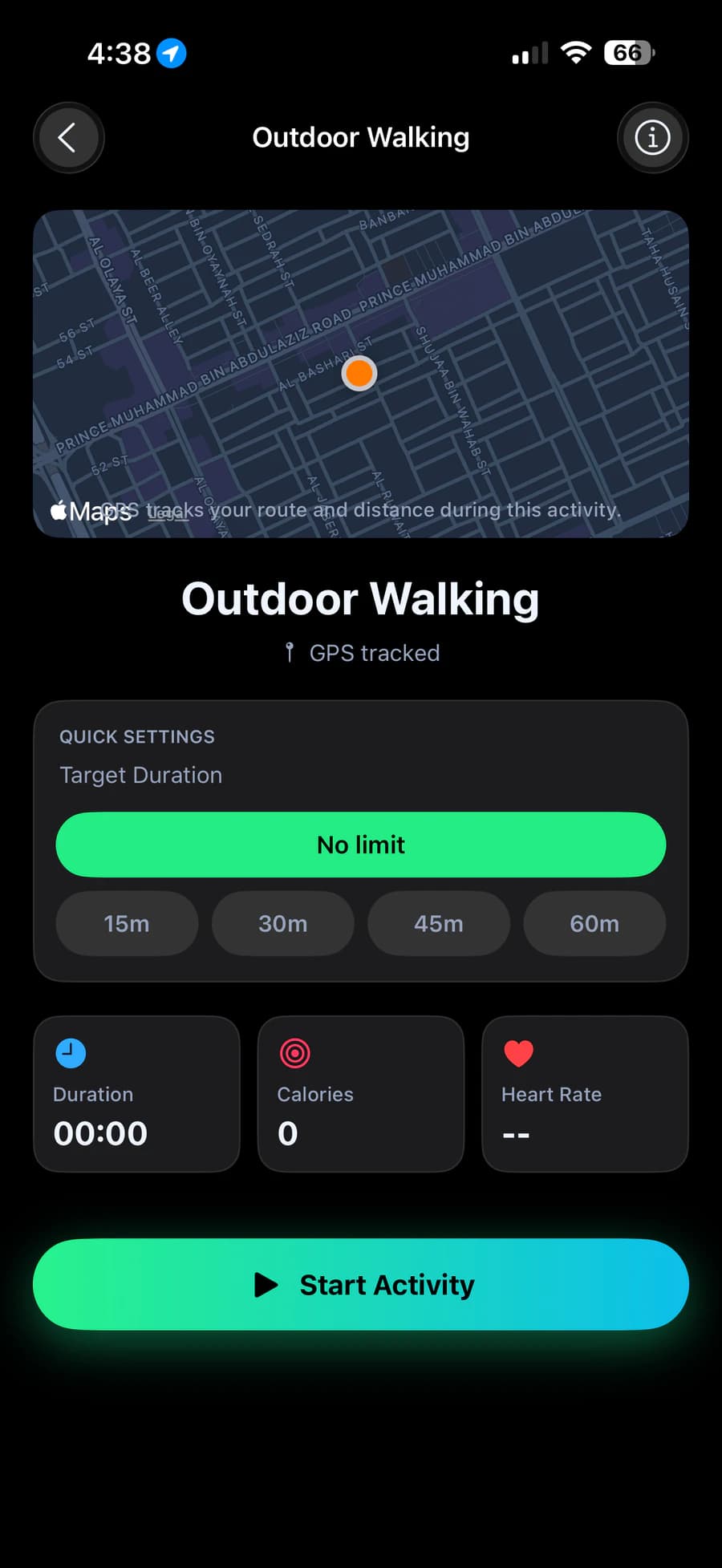
Run, walk, hike or ride outside and your iPhone's GPS records your route, distance and pace. Outdoor sessions record even without your band; connect it and your heart rate joins in.
Five outdoor types
From running and walking to cycling, each with its route on the map.
Keeps recording
Allow location access and your route keeps recording with the screen locked.
During a session
Start. Pause. Hold to finish.
Set a target time or leave it open, then watch your heart rate, strain and calories as you go. Pause when you need to, and hold Finish to end the session. Try it on the card.
A summary for every session
Your heart-rate changes with peak, average and minimum, and the numbers for that type of workout.
Kept on your phone
Your most recent 100 summaries, ready to reopen from Home and Activity.
Strength
In progress
18:24
- Heart rate
- 131bpm
- Strain
- 31%
- Calories
- 188kcal
Press and hold
How workout calories are worked out
From the best signal there is.
Outdoors: your speed
Walks, runs, hikes and rides use your GPS speed, once you've covered a short distance at a steady pace.
Treadmill: your steps
Indoor walking and running work out your speed from your steps and your height.
Everything else: your heart
Other sessions use your average heart rate, set against your age and your recent resting heart rate, with a sensible limit for each kind of activity.
No guessing
If a session has no heart rate and no GPS, the summary shows a dash instead of a number.
Calories are estimates for general wellness. HLTH is not a medical device.